
Bedrock’s integrated email makes communication easy
We appreciate that in today’s world, majority of communication happen via email. As to whether this is directly with the client, their relatives, courts and other parties or even internally, the modern world of the legal industry is email heavy. Bedrock has been designed to enable its users’ various ways to store, review and time-record for email correspondence. Bonus feature enables you to see which emails you or your colleagues have already saved, avoiding duplication.
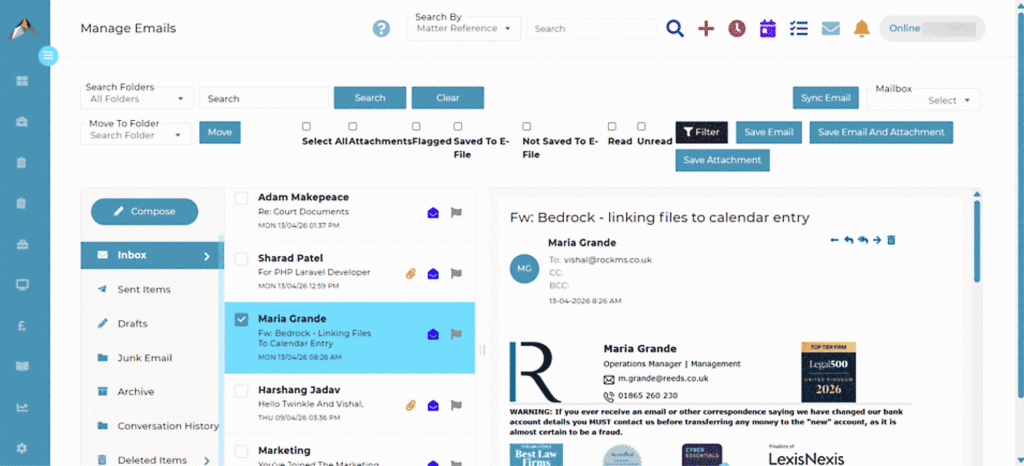
With full Microsoft 365 integration, Bedrock offers different ways to managing the process of saving emails onto Bedrock matter files, to suit the way that different users like to work.
Bedrock Email is a separate email client built directly within Bedrock itself. Your Outlook folder structure is mirrored, and you can filter, read, compose emails within the Bedrock Email page in your browser. This interface also allows you to easily review which emails have already been saved to a Bedrock matter file and which have not.
Other Outlook features are available, such as keeping drafts and auto-populating email addresses based on the contents of your Outlook and Bedrock contact lists. Bedrock also has the ability to mark emails as high priority and emails can be sent using the “delay delivery” function that exists in Outlook.
For saving emails to the Bedrock matter files, Bedrock Email offers a flexible approach, reflecting the need to treat some emails differently from others. If emails are previously generated from within Bedrock and have the correct email “tag” in the subject line, then multiple emails can be automatically synced to the relevant matters in a single click.
Otherwise, you have the option to save emails and their attachments in various configurations depending what users want to be able to see on the matter electronic file. By choosing an option from “Save email only”, “Save attachments only”, or “Save both email and attachments”, you can directly save emails onto your respective matter.
Time recording of emails, renaming of emails and/or attachments and the folder categorisation you want to for the storage of the emails on the electronic matter file are all handled in the single process step of saving an email to the matter file.
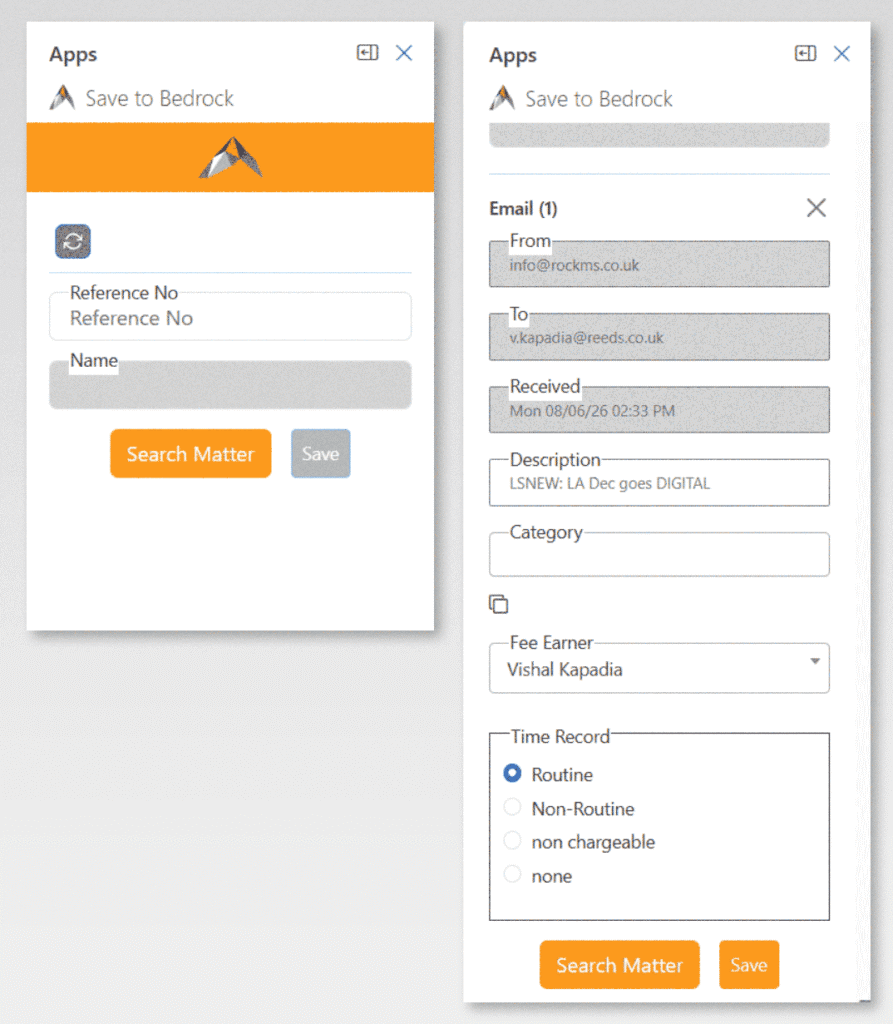
Outlook Integration (save to Bedrock)
Bedrock integrates seamlessly with both Outlook Desktop and Outlook Online, saving emails directly into your relevant case files, streamlining your workflows, and enhancing collaboration across your teams.
Whether you’re using Outlook on your desktop or accessing it via a browser, the integration works consistently across platforms. This means you can capture critical communications from anywhere, at any time, without switching between applications, or disrupting your workflow.
This feature supports both incoming and outgoing messages, ensuring all sides of a conversation are documented. Attachments such as statements, Court orders, invoices, or evidence files are also preserved, maintaining a complete and accurate record of case-related communications.
Shared Mailbox Access
Many firms seek to manage centralised functions through the use of shared mailboxes which can be set up within Outlook. Bedrock Email is configured to allow users to be able to access shared mailboxes within Bedrock Email in addition to their own.
All rights to access shared mailboxes are controlled by you through your MS365 settings. Shared mailboxes are presented in Bedrock to all users, but they will only be able to access those which you have authorised to particular people. Bedrock therefore helps you retain organisation of your central administration pickups and customise the processes to work to your internal processes.